Dashboard
Everything at a glance. Quickly access recent scenes, see what's been shared, and start something new with a tap.
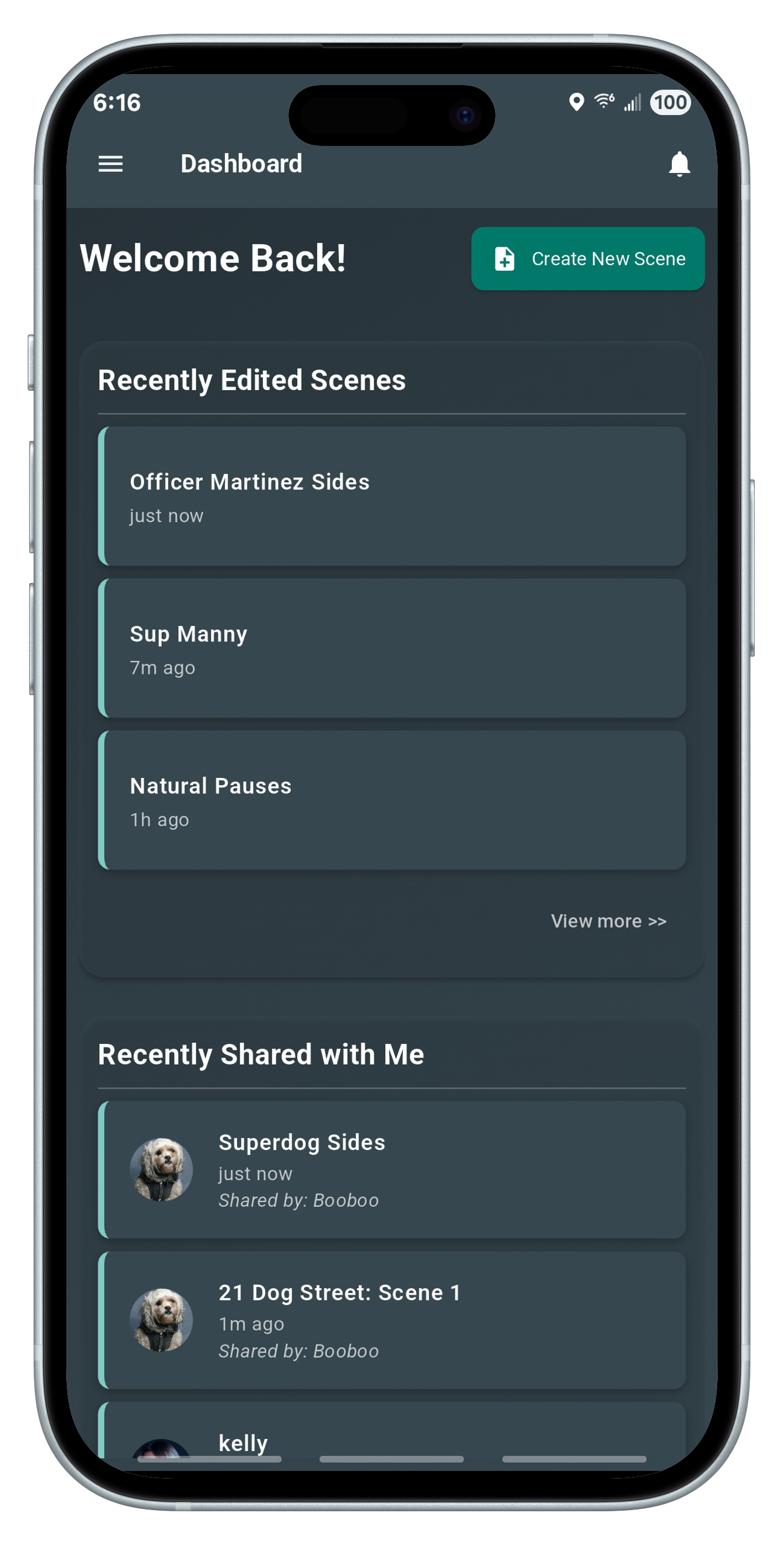
The Dashboard is the first thing users see after logging in. It greets you and displays your most recent activity — including scenes you’ve worked on and ones others have shared with you. Want to dive into a project or start fresh? Tap “Create New Scene” to jump straight into the editor. Each section includes quick access to deeper lists, and new notifications show at the top right.
Import
Spend less time typing out your scripts, and more time acting them out.
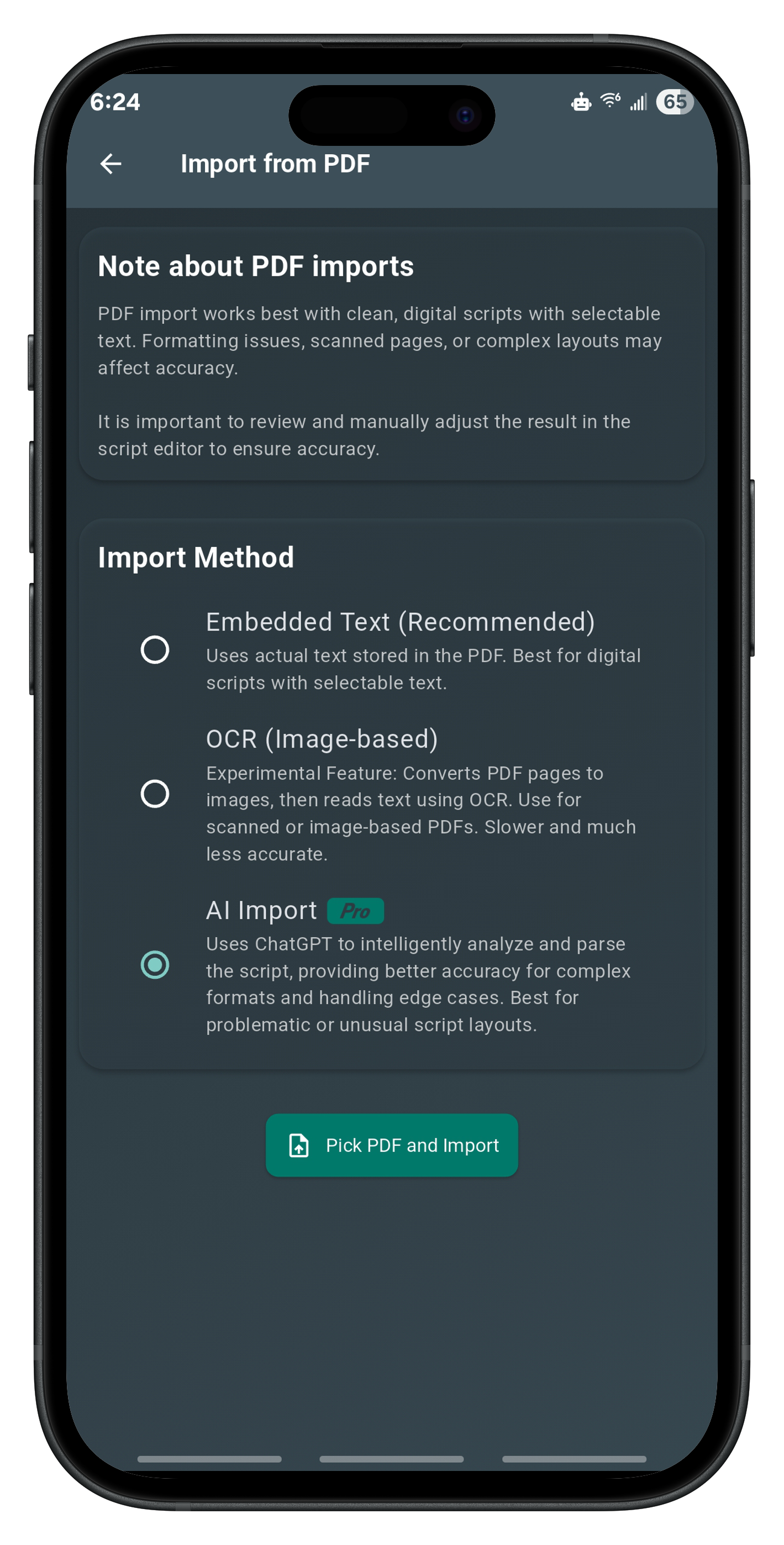
Importing scripts is easier than ever. Use the standard parser to quickly extract dialogue and scene structure from your uploaded PDF — great for cleanly formatted scripts. For more complex or messy files, Pro users can enable AI Import: a smarter tool that understands narrative flow, speaker patterns, and ambiguous formatting. Whichever method you choose, you’ll land in the editor with a structured, editable draft — ready to polish, rehearse, and perform.
View
View and rehearse your scenes with precision.
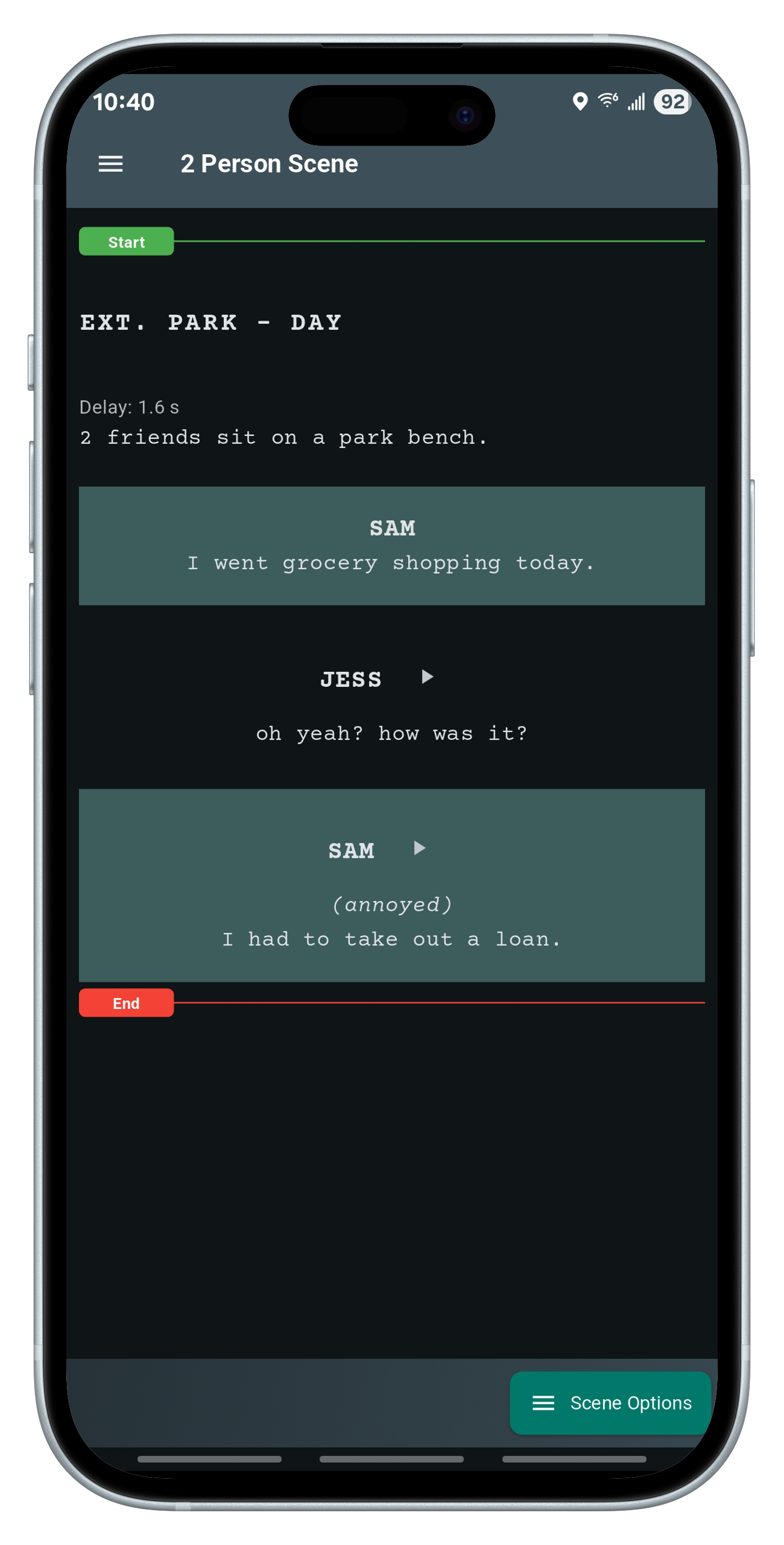
The Scene Page will be a very familiar view for actors. Users can scroll through the entire script, play back recordings, or tap to highlight specific characters. Rehearsing a scene? Simply drag the “Start” and “End” markers to focus on the lines you need. Once ready, dive into Edit Mode to rewrite lines or tap Perform Scene to act out your part with real-time feedback.
Edit
Write, revise, and record your script with full creative control.
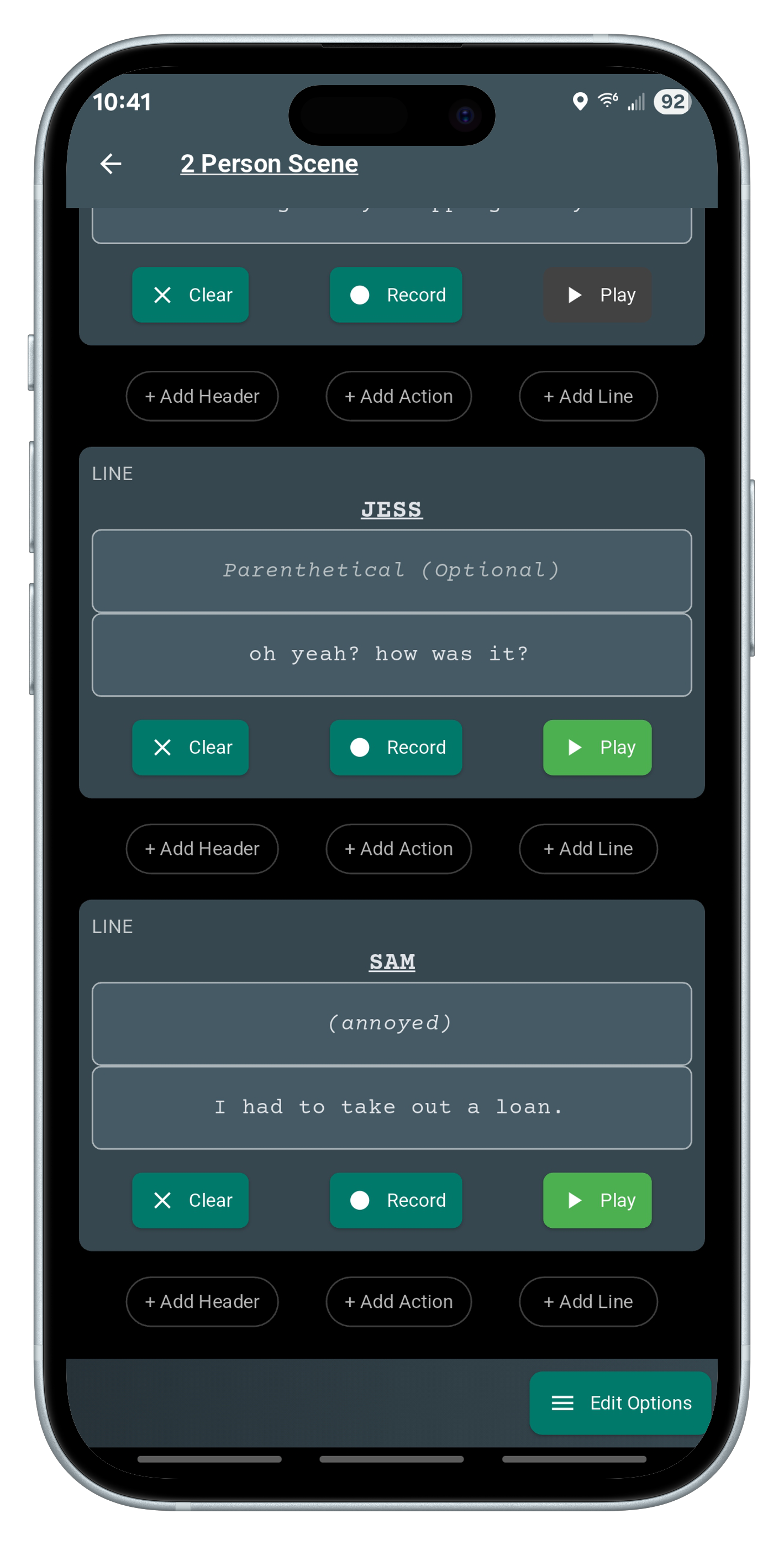
The Edit Scene Page offers a powerful editor for writing scenes block-by-block. Add headers, actions, or dialogue lines. Record performances or use speech-to-text dictation to write by voice. If a scene is shared, collaborators will only see what they’re allowed to change — whether that’s read-only access, recording specific characters, or full editing rights. Dictation and audio tools are built right in, so rehearsing while writing is seamless.
Perform
Take the spotlight. Perform your lines while the app plays back other characters’ recordings.
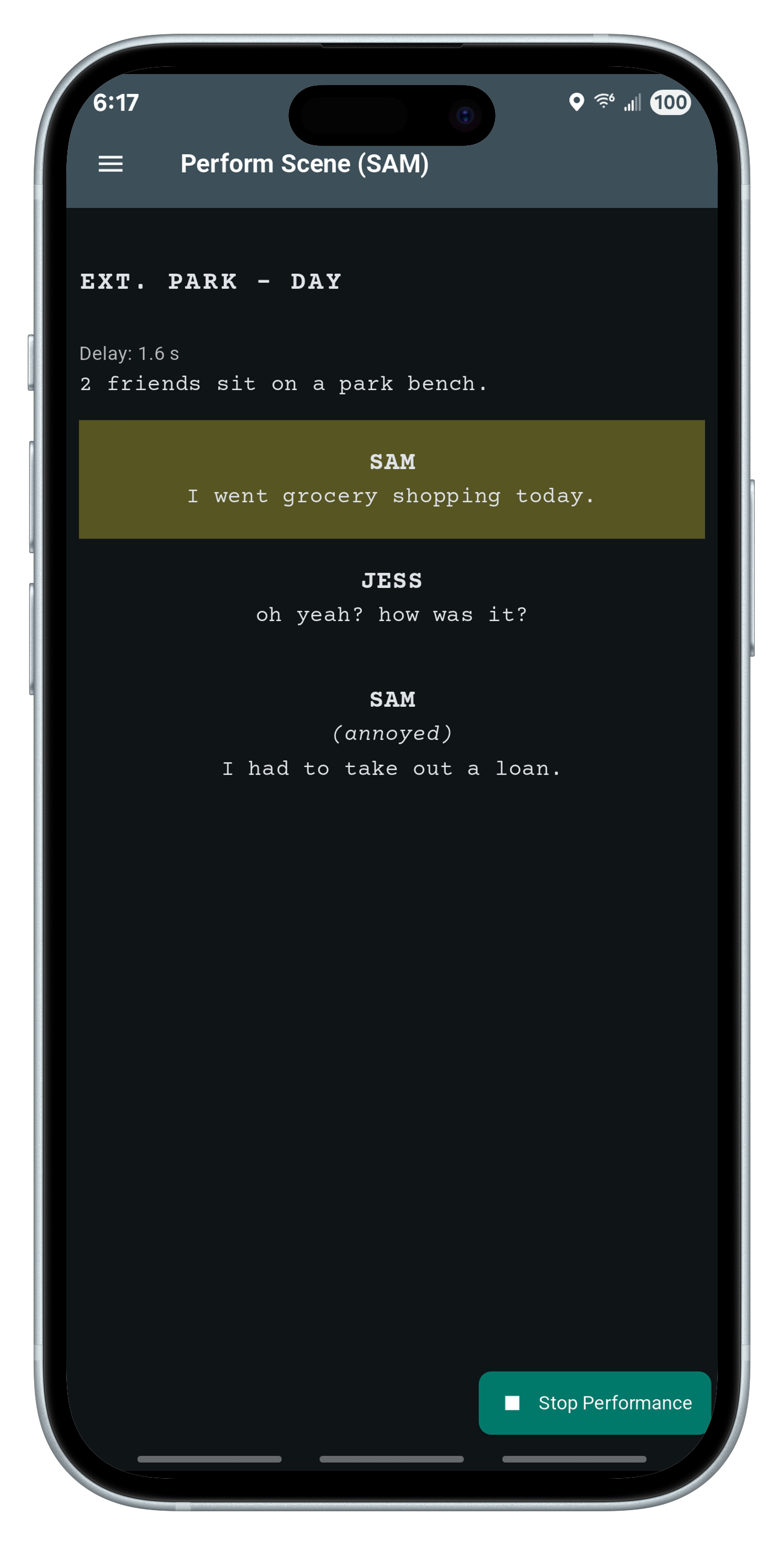
Choose a character and let the app guide you through your scene. In standard mode, you’ll hear other characters’ recordings and deliver your lines with real-time transcription and accuracy scoring. Prefer a more focused view? Switch to Teleprompter Mode — it displays your line full screen, and will scroll automatically according to what you speek. Every performance ends with a detailed report showing how closely your spoken words matched the script.
Friends
Connect with collaborators and share creative work with ease.
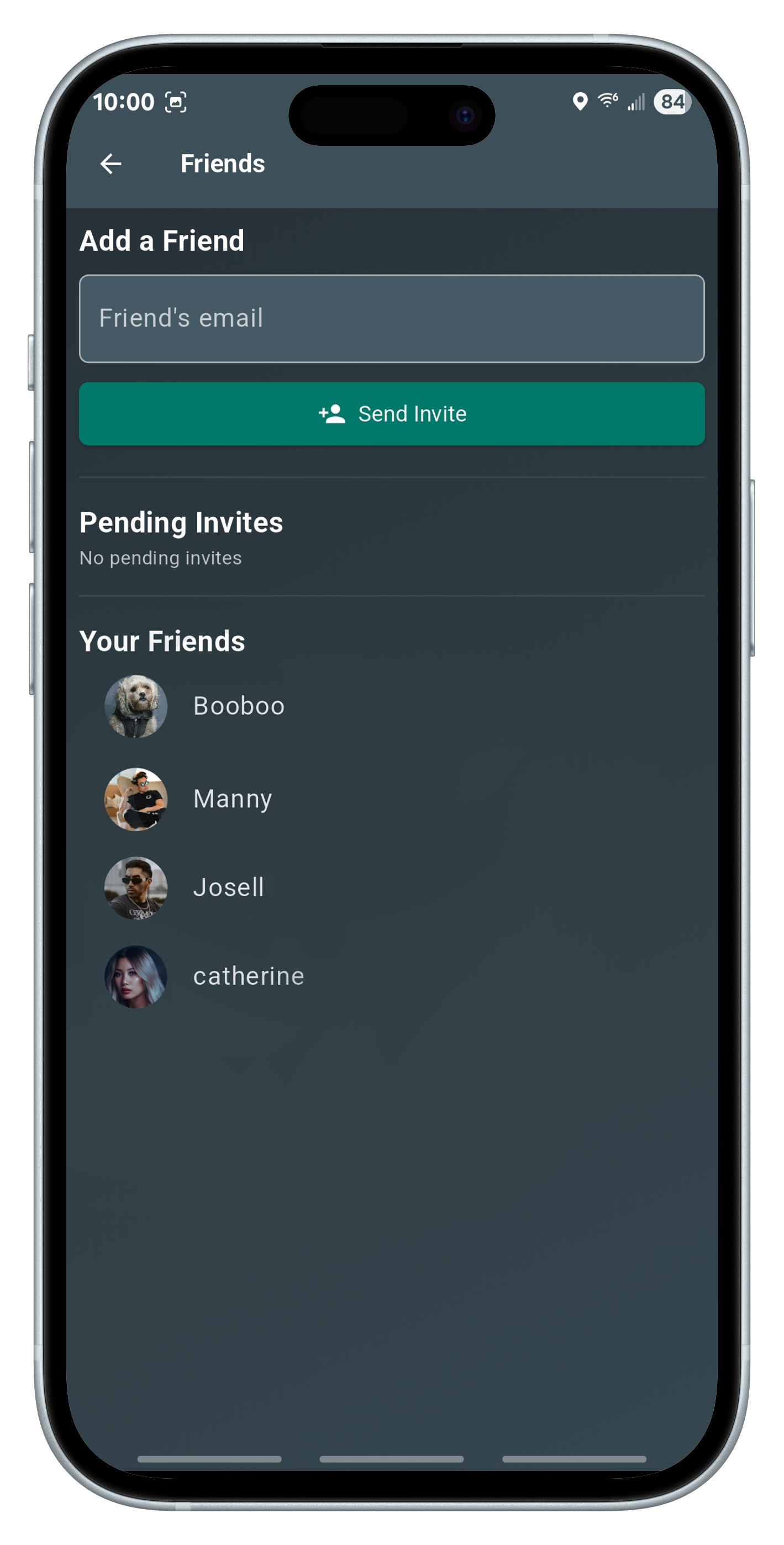
The Friends Page is where collaboration begins. Invite other users by email to connect. View and respond to pending requests, and once accepted, tap on a friend to see what scenes you’ve shared with them — or they’ve shared with you. Friendships enable selective scene sharing with permission-based access, so each user can contribute where it counts.
Save
Your personal archive. Browse and manage your created scenes with sharing options.
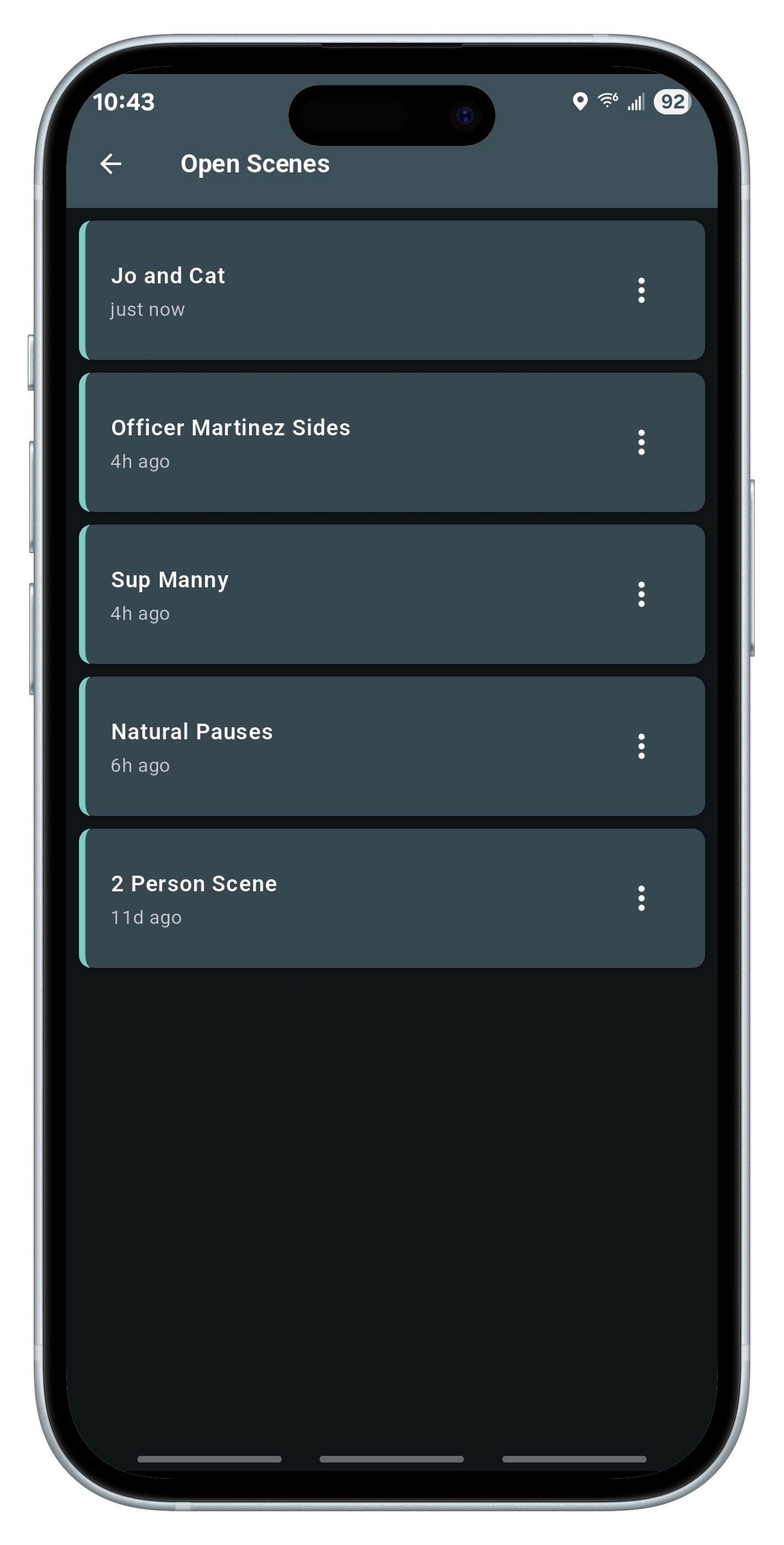
The Saved Scenes Page lists all scenes you’ve created. Long-press to enter selection mode and delete multiple scenes at once — or open, share, or edit any scene individually. It’s built with efficiency in mind for writers, editors, and performers managing multiple projects. All your work is backed by the cloud and synced across devices.
Share
Stay in sync with collaborators and manage shared access.
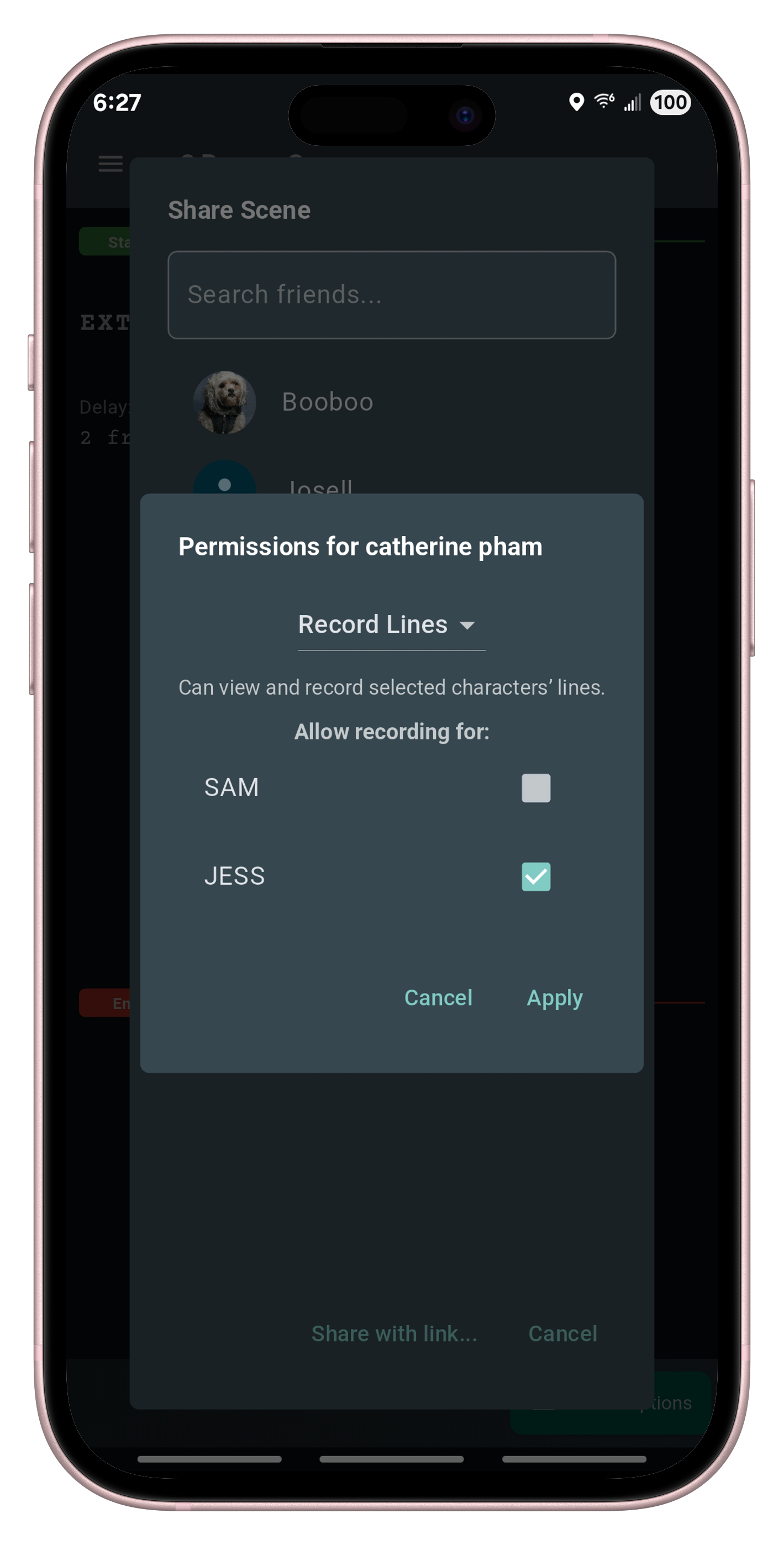
The Shared Scenes Page is split into two clear tabs: one for scenes others have shared with you, and another for scenes you’ve shared. It helps you track collaborations at a glance. Whether you’re a lead actor practicing your role or a co-writer revising lines, this page ensures you never lose sight of who’s involved — and what’s accessible.